
Maintain your store
Troubleshooting
Start with the affected checkout step, change one thing at a time and retest on staging.
Where to go WooCommerce → Trim Checkout → Status
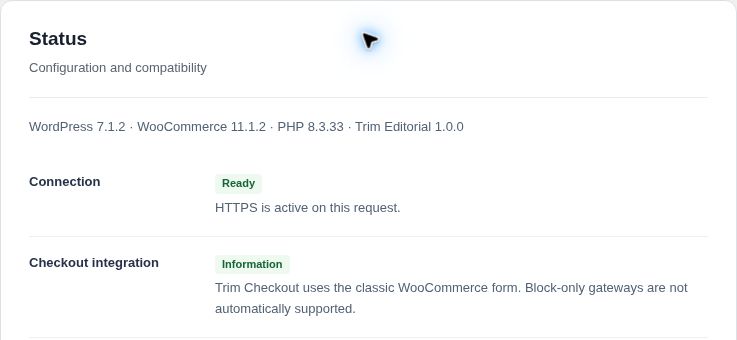
Check the basics first
- Open Status
Review the connection, classic-checkout integration, competing checkout owners, consent setup and scheduled-job checks. A configuration check does not prove a live payment succeeded. - Reproduce with a simple test cart
Record the product type, country, shipping method, payment method and exact visible error. Avoid using real customer data. - Isolate the conflict on staging
Check caching and optimization exclusions, then test the active theme, gateway and checkout extensions one at a time. Preserve your live store while investigating.
Find your symptom
The normal checkout still appears
Confirm Replace native checkout is enabled under General and saved. Check the checkout page assigned in WooCommerce and remove competing checkout replacements. Use Open checkout with a non-empty cart.
The layout or fonts look wrong
Choose Trim styles and fonts under General. Clear the appropriate static/page cache and retest. If you use inherited theme styles, check the theme’s checkout rules and other styling plugins.
No payment method or wallet appears
Check gateway activation, account setup, classic-checkout support and eligibility for the cart’s country and currency. Wallets also depend on secure-domain registration, browser and device. Follow the payment guide.
Shipping or free-shipping progress is missing
Check the entered delivery country/postcode against WooCommerce shipping zones. The progress bar is intentionally hidden for coupon-dependent free shipping or multiple packages.
A custom required field fails with a wallet
Test the gateway’s express submission path as well as ordinary checkout. Required custom fields can need gateway-specific compatibility; do not assume the standard-form result covers express payments.
Purchase events are missing or duplicated
Check Event owner, destination IDs, consent choices and duplicate senders. Server events require eligible paid orders and working jobs; GA4 also requires the client ID. Verify reporting in the provider account.
A recovery reminder was not sent
Verify Recovery email is enabled, the shopper opted in and confirmed the address, the delay passed, and email delivery plus scheduled jobs are working. Unverified and unsubscribed addresses must not receive reminders.
License activation or updating fails
Use HTTPS administration, confirm PHP Sodium and the host clock, then use Check license now. A moved or staging URL may need its own activation. Retry an expired download ticket through WordPress.
Contact support
Use Report an issue in the plugin settings or email support@trimcheckout.com. These links open your email app; they do not send a report automatically.
- Include Trim Checkout, WordPress, WooCommerce, PHP, theme and gateway versions.
- Describe what you expected, what happened and the shortest steps to reproduce it.
- Attach a cropped screenshot of the visible issue if useful. Remove customer details, keys, passwords and other secrets.