
Built for WooCommerce classic checkout
A Shopify-like checkout for WooCommerce
Bring contact details, delivery and payment into one focused page. Match your brand, keep order totals clear and give mobile shoppers room to finish.
$49 one-time · One website · Lifetime updates
Explore the interactive checkout previews below.
- 01Contact
- 02Review
- 03Confirmation
WooCommerce checkout that works with the stack you already have
Explore themes, payment options and marketing tools. Check your exact setup before going live.
 Meta
 Stripe
 WoodMart
 Google Analytics
 PayPal
 Astra
 Google Tag Manager
 Klarna
 GeneratePress
 Google Ads
 Razorpay
 Kadence
 Pinterest
 Square

 TikTok
 Apple Pay
 OceanWP
 Snapchat
 Google Pay

 X
 Adyen
 Avada
 LinkedIn
 Amazon Pay
 Blocksy
 Reddit
 Visa

 Hotjar
 MasterCard
 Storefront
 Mixpanel
 Elementor
 HubSpot
 WooCommerce
 MailChimp
 WordPress
The Trim difference
Same cart.A clearer checkout.
Your customer is ready to buy.
Make the last step feel effortless.
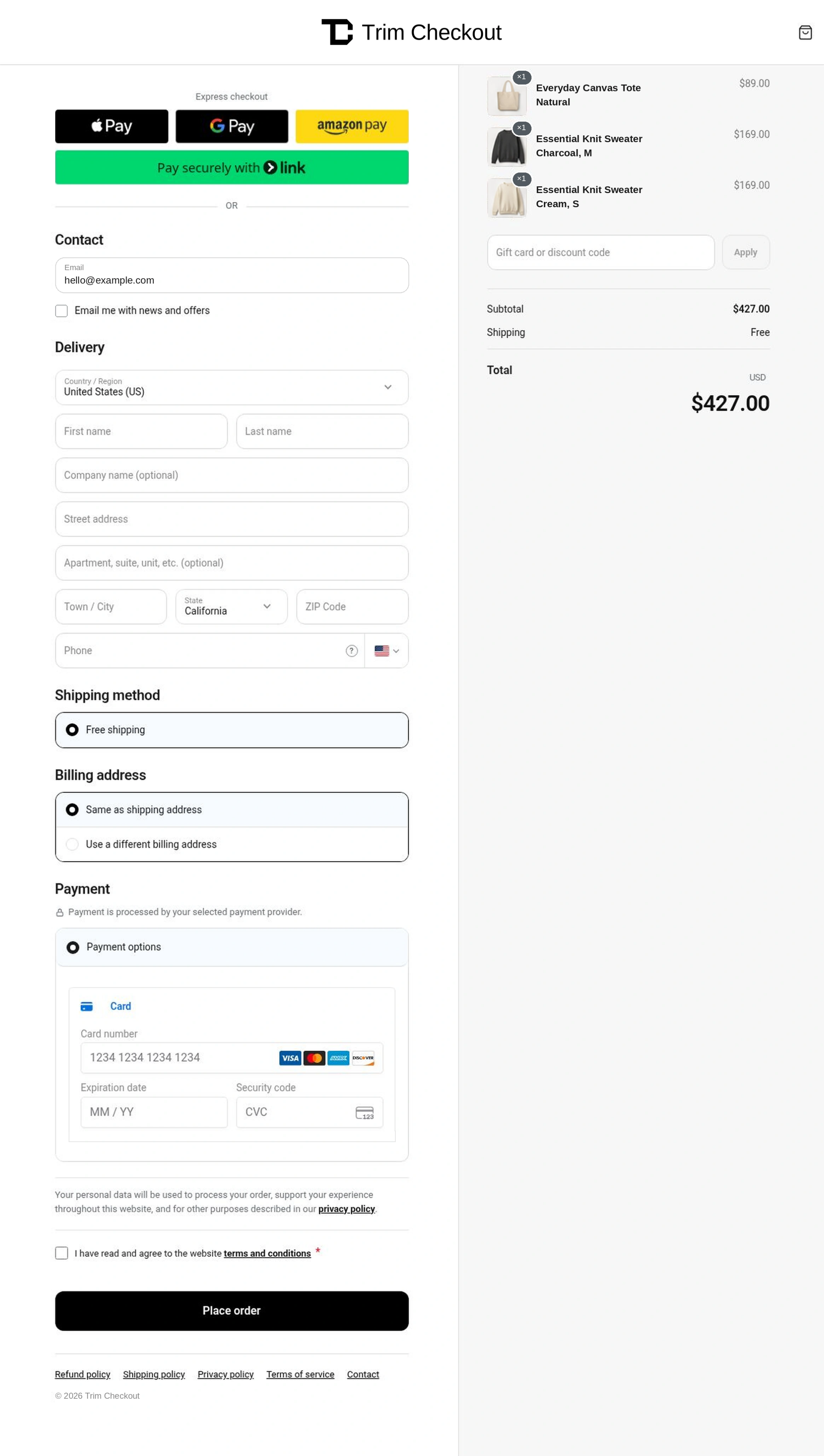
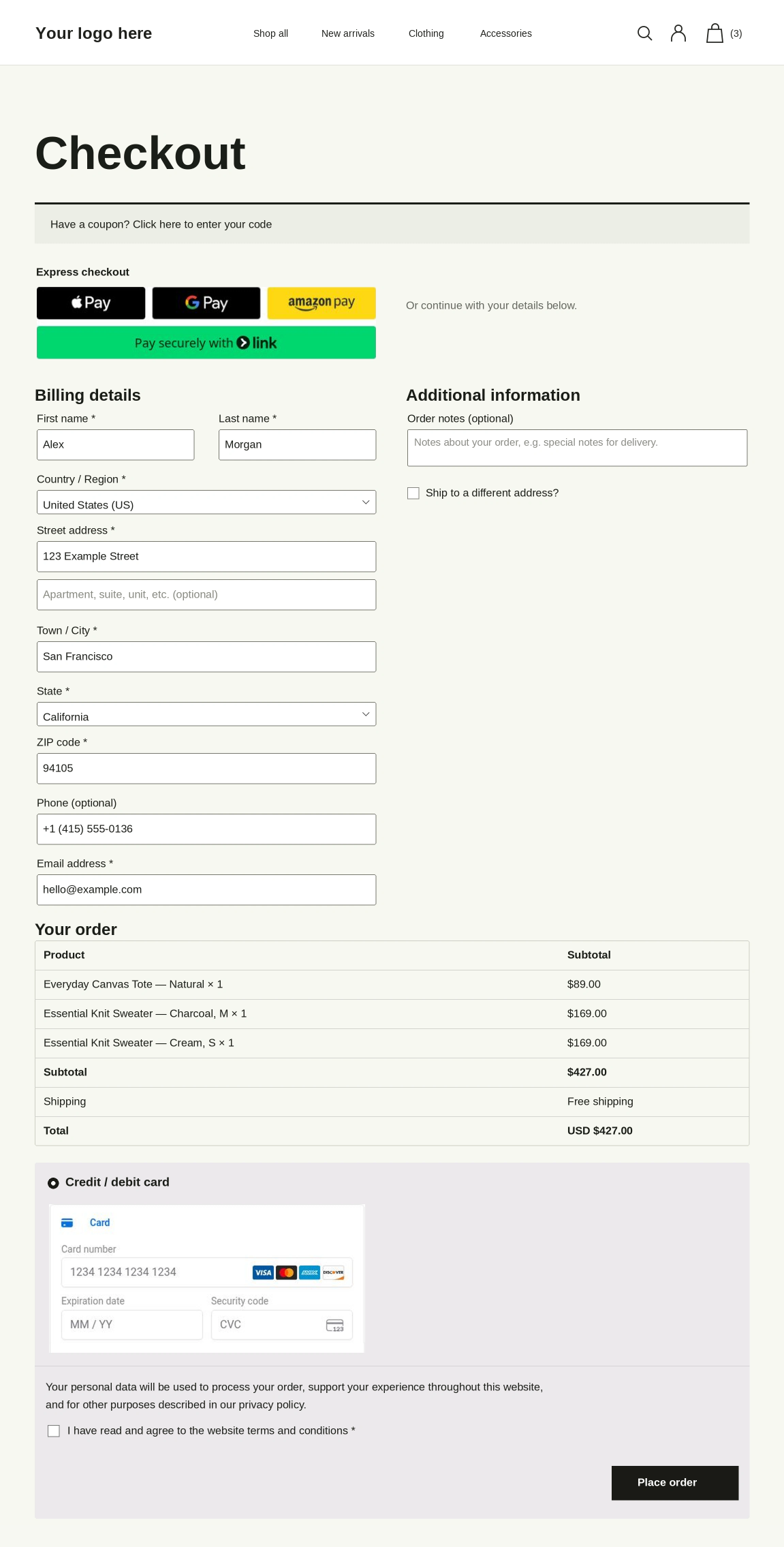
See how Trim brings focus to a standard WooCommerce checkout.
Standard checkout
Made for checkout
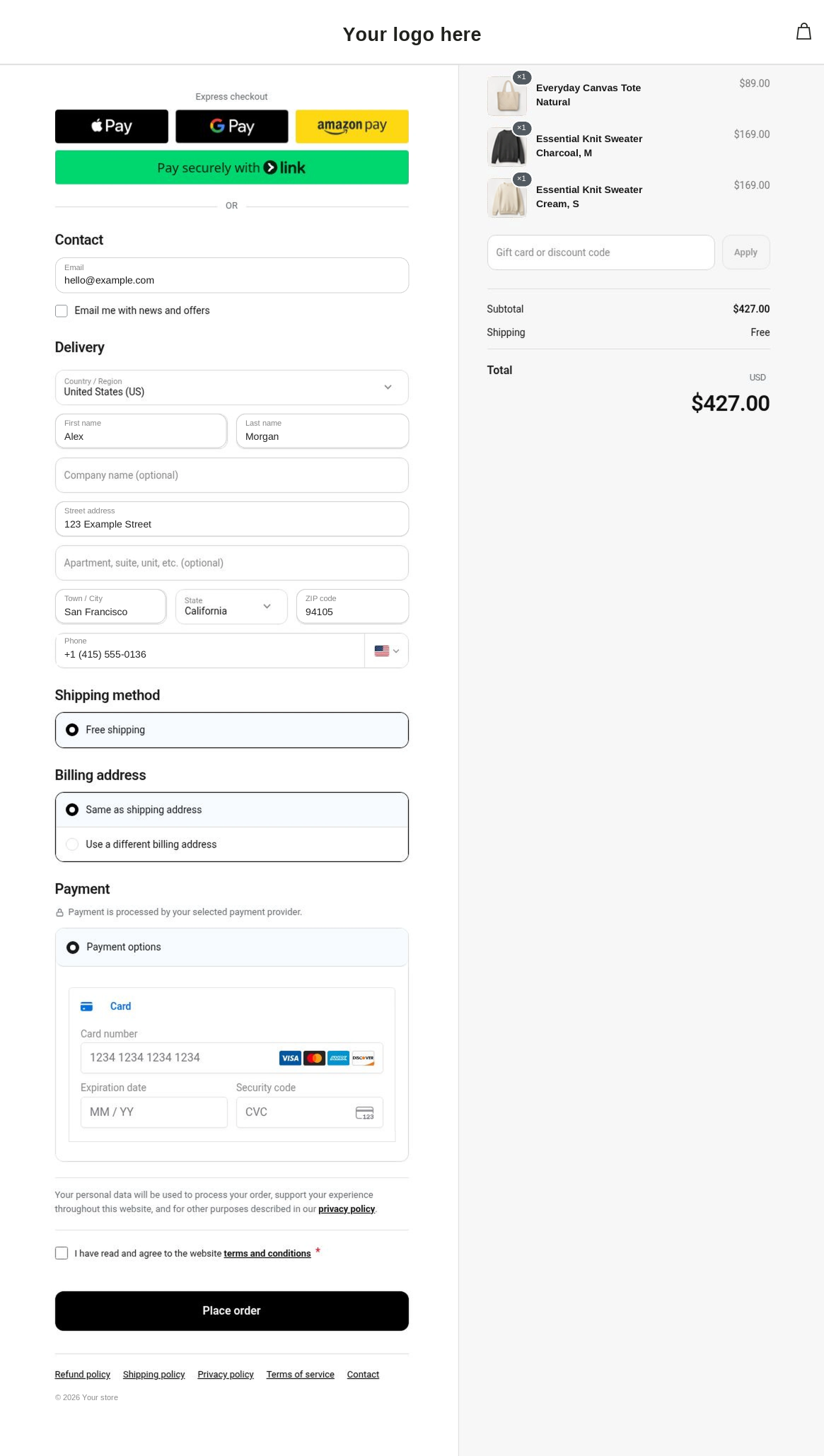
A guided look. Scroll any time.
Let the checkout do one thing well. Give customers a clear place to enter their details, review their order, and pay.
Why this layout? Shopify reports 15% higher conversion on average versus competing platforms in its April 2023 study. That is platform research, not a measured Trim result or proof that a layout causes uplift.
Illustrative US store previews. Same products, $427 total and payment options. WooCommerce styling varies by theme; express payments depend on your gateway, device and eligibility.
Built for mobile checkout
Give every shopper
a clear next step.
Bring the same focused checkout to a smaller screen. Customers can check their order, enter their details and continue to payment in one page.
- 01The total is easy to find.
Keep the amount visible at the top. Open the summary to review products and costs.
- 02More room for the details.
Collapse the order summary and move through a single-column form built for mobile.
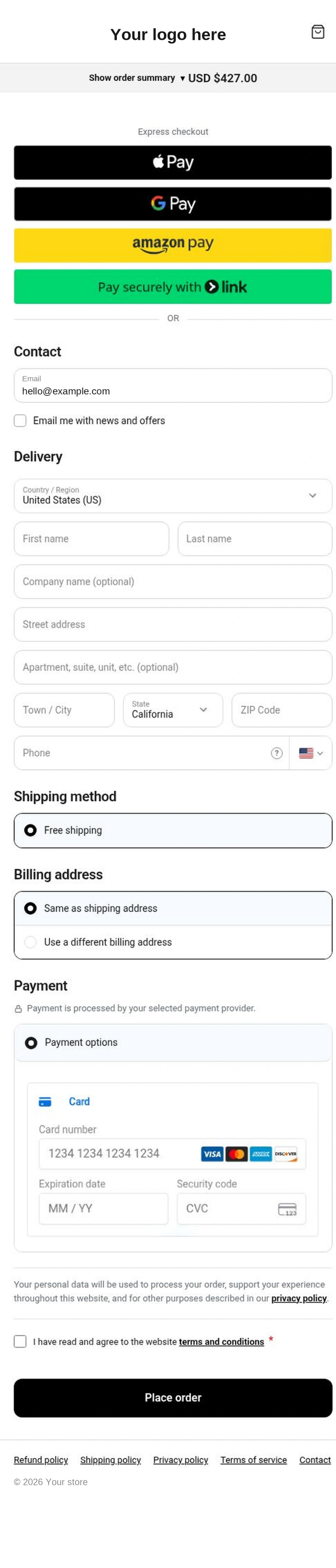
Scroll inside the phone to explore
Real checkout captures with sample store details.
Payment options depend on your gateway and device.
MAKE IT YOURS
Your settings.
Your checkout.
See how a few familiar controls shape the customer experience.
Choose your logo and accent. Keep the checkout familiar.
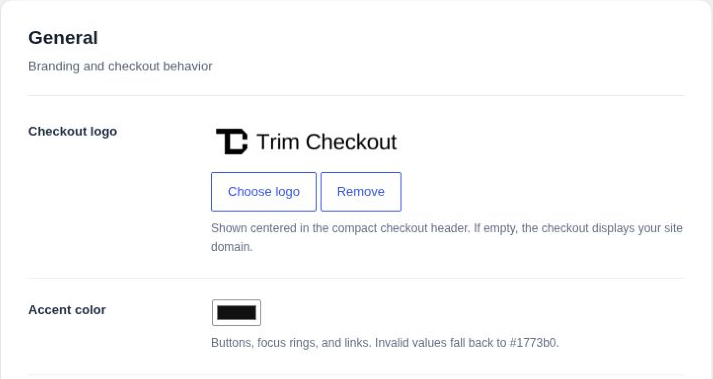
Show order summary$427.00
Express checkout
Email me with news and offers
Payment is processed by your selected payment provider.
Your personal data will be used to process your order and support your experience on this website.
I agree to the terms and conditions
Show the details you need. Email and country always stay enabled.
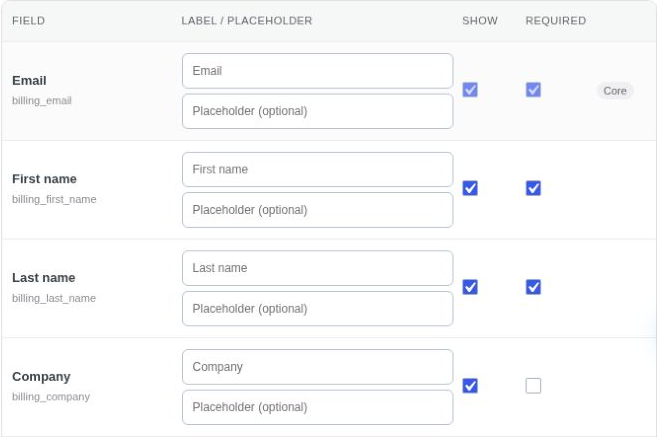
Show order summary$427.00
Express checkout
Email me with news and offers
Company is hidden in this preview.
Payment is processed by your selected payment provider.
Your personal data will be used to process your order and support your experience on this website.
I agree to the terms and conditions
Turn a business-day range into a clear delivery estimate.
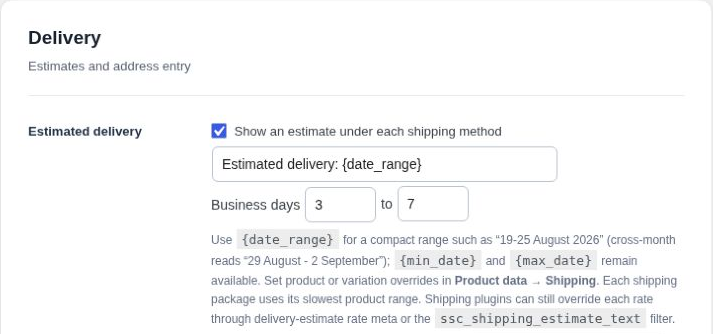
Show order summary$427.00
Express checkout
Email me with news and offers
Estimated delivery: 12–16 October 2026
Payment is processed by your selected payment provider.
Your personal data will be used to process your order and support your experience on this website.
I agree to the terms and conditions
Example order: 7 October 2026. Weekends skipped; no holidays added.
Illustrative preview using Trim’s checkout styles. Scroll inside to explore. Payment options depend on your gateway and device.
Coupons, gifts and the final step
Order extras. Keep coupons, eligible free-shipping progress and gift messages together.
Confirmation. A matching order-received layout keeps WooCommerce validation and gateway hooks in place.
Explore all features →Bring shoppers back
to the cart they left.
After a shopper opts in and confirms their email, send a personalized reminder at the time you choose.
Enabled — one reminder for an eligible, verified cart.
1–72 hours after the cart becomes inactive.
Personalized with {first_name} and {recovery_url}.
You left something behind
Restore saved cart →Unsubscribe
One reminder per eligible cart. The shopper confirms before restoring it. Requires working store email and scheduled jobs.
02 Native checkout analytics
See what happens
to captured carts.
Compare captured checkout starts, completed orders, conversion rate and revenue over 7, 30 or 90 days. Follow daily starts and completions inside WooCommerce.
Reports cover opted-in carts captured while recovery is enabled, not every checkout visit. Retention settings affect the history available.
WHAT THE REPORT CONNECTS
Captured starts
Opted-in carts recorded while recovery is on.
Completed orders
Paid orders linked to those captured carts.
Revenue & recovery
Linked revenue, recorded refunds and post-reminder completions.
Understand the dataset before comparing the numbers.
Checkout Analytics
Demo dataOpted-in captured carts only. Recorded while recovery email / cart capture is enabled.
- Checkout starts
- 1,240
- Completed orders
- 806
- Conversion rate
- 65%
- Abandoned
- 434
- Completed revenue
- $56,420.00
- Recovered revenue
- $2,380.00from 34 recovered carts
Daily starts vs. completed
View chart data
| Day | Started | Completed |
|---|---|---|
| October 1 | 148 | 91 |
| October 2 | 172 | 109 |
| October 3 | 165 | 105 |
| October 4 | 198 | 132 |
| October 5 | 181 | 120 |
| October 6 | 203 | 137 |
| October 7 | 173 | 112 |
| Total | 1,240 | 806 |
Revenue reflects linked paid orders after recorded refunds, in the current store currency.
How to read the conversion and recovery figures
- Conversion rate
- Completed captured carts divided by captured checkout starts. The selected period follows when the cart was captured.
- Recovered revenue
- Linked orders completed after a recovery email was marked sent. This does not establish that the email caused the sale.
Focused checkout. Familiar foundation.
Keep the store
you’ve built.
Your products, shipping rules, taxes, coupons and orders stay in WooCommerce. Trim gives the checkout a visual system of its own.
Products · Shipping · Taxes

Your brand. A focused checkout.
Payments · Orders · Downloads
01 / Payments
Your gateway.
Familiar ways to pay.
Express buttons come from supported gateways. Availability depends on merchant setup, currency, browser and device.
Payment requirements02 / Measurement
A considered
tracking connection.
Connect GA4, Meta and Google Ads, or keep your GTM setup in charge. Choose one event owner and configure consent.
Tracking requirements03 / Store management
Built to live
inside WordPress.
Manage checkout in WooCommerce. Use native WordPress updates, privacy export and erasure tools, and integration diagnostics.
Explore the documentationBuilt for classic WooCommerce checkout. Test your theme, gateway and extensions on staging before switching. Advertising consent needs a configured consent manager.
From install to your first test
Make it yours.
Then put it to the test.
The checkout belongs to your store. Set it up on staging and check the complete buying journey before you switch.
- 01
Install & activate.
Upload the customer plugin ZIP, activate Trim Checkout, and connect your website license.
- 02
Set the details.
Add your branding. Choose fields, policy links and the options your customers need.
- 03
Test, then switch.
Check mobile, shipping, coupons, payment returns and confirmation with your actual integrations.
Built for classic WooCommerce checkout.WordPress 6.5+ · WooCommerce 8.4+ · PHP 8.1+. Test your theme and extensions before going live.
Open the setup guideLaunch pricing
One payment.
Choose your site allowance.
Choose the website allowance that fits the stores you run.
FOR YOUR STORE
1 websiteSingle Site
$49USD · one-time
For one WooCommerce store.
- One website license
- Lifetime updates
- All released checkout features
One payment. No recurring subscription.
FOR YOUR PORTFOLIO
100 websites100-Site Package
$295USD · one-time
For agencies and owners managing multiple stores.
- 100 website licenses
- Lifetime updates
- All released checkout features
$2.95 per website at full use. No recurring subscription.
Launch pricing. Both plans include lifetime updates. Review license and purchase details before choosing. Separate staging sites count toward your site allowance.
Before you choose
Your questions,
answered.
Setup, compatibility and the details that matter.
Explore the documentationDoes a Shopify-like layout guarantee higher conversion?
No conversion uplift has been measured for Trim. Shopify reports a 15% average conversion advantage over competing platforms in commissioned research completed in April 2023. This compares platforms and does not isolate checkout design. Study attribution.
Does the analytics screen count every checkout visit?
No. It reports carts captured after shopper opt-in while recovery is enabled. People who do not provide the required contact details and opt in are outside that dataset. Available history also depends on retention settings.
When does a shopper receive a recovery email?
After opting in and confirming their email, an eligible shopper can receive one reminder once the configured inactivity delay has passed. The saved cart must still be available. Sending also depends on the store’s email service and scheduled jobs.
Will I need to rebuild my store?
Your WooCommerce catalog, products and orders stay in place. Trim Checkout changes the classic checkout presentation. Configure the plugin and test your exact integrations before switching.
What does “Shopify-like” mean?
It describes the focused checkout presentation. Trim Checkout runs on WordPress and WooCommerce. It is independent of Shopify and does not provide Shopify’s platform or Shop Pay.
Will my gateway and express payments work?
Trim preserves the WooCommerce classic gateway lifecycle. Test your gateway and extensions on staging. Express-payment buttons require a supported, configured integration and an eligible merchant account, domain, currency, device and browser.
What counts as one website?
A site slot is tied to a canonical website URL and installation identity. Separate staging URLs and multisite subsites count separately. Release the old activation before moving your license to another site.
Does it support Checkout Blocks?
Trim Checkout uses WooCommerce’s classic checkout lifecycle. Checkout Block-only extensions need a separate compatibility review.
Can I explore it before choosing?
Yes. Explore the interactive checkout layouts and settings on this page before choosing a license. Our purchase flow also uses Trim Checkout. Placing an order there makes a real purchase.
Built for your WooCommerce store.
Make checkout
feel like your brand.
Shopify-like presentation. Your WooCommerce store behind it.