
WooCommerce checkout features that keep the order clear
TrimCheckout gives WooCommerce’s classic checkout a focused full-page layout. Set the details your store needs while WooCommerce remains responsible for products, shipping, tax, payments and orders.
The verified downloadable package is Trim Checkout 3.2.2. Some features require a configured gateway, address provider, consent manager or email service. Read the conditions below before choosing a setup.
A consistent checkout appearance
Use TrimCheckout’s own component styles and fonts, the recommended default, or choose compatible theme styling. Add your logo and set an accent color for links, buttons and focus states. A readable order summary sits alongside the form on wider screens and can be expanded on narrow screens.
The full-page layout reduces dependence on the theme’s checkout template. It does not establish compatibility with every theme widget, extension or checkout replacement. Review your actual store on staging.
Customer details that fit your store
Rename labels and placeholders, choose which optional fields to show, and set required status. Add lightweight custom text, textarea, select, checkbox, number or date fields. Email and country remain core fields used by WooCommerce and gateways.
A country-code picker helps with international phone entry. Inline email, phone and postal-code hints can surface obvious format errors early. WooCommerce still validates the submitted order.
Let shoppers enter a separate billing address when needed. Signed-in customers can prefill delivery from their existing WooCommerce billing or shipping address. This uses the saved account addresses; it is not an unlimited address book.
Native order totals and shipping
Keep WooCommerce’s shipping methods, tax rules and coupons. The summary refreshes as the order changes, with visible loading feedback and support for reduced-motion preferences.
For physical products, show a merchant-configured business-day delivery range. Set product or variation overrides and exclude holidays. The estimate is saved with the order. It is an estimate, not live carrier tracking or a guaranteed delivery date.
An optional free-shipping progress display follows the customer’s matched WooCommerce shipping zone and minimum-amount rule. It stays hidden for coupon-dependent rules or multiple shipping packages.
Optional address assistance
Country detection can preselect a country when WooCommerce has no country yet. Address suggestions are available through Photon or Google. Google requires a provider key and appropriate account setup; enabling a third-party service requires suitable store privacy disclosures.
Suggestions can assist data entry. They do not guarantee that a postal address is deliverable.
Payment and confirmation
TrimCheckout uses WooCommerce’s classic payment and order lifecycle. It preserves native payment hooks and provides a location for eligible express buttons supplied by compatible gateway integrations. Availability depends on the configured gateway, merchant account, currency, browser and device.
Test card payment, decline handling, redirect or 3DS flows, and express wallets with your own gateway. TrimCheckout is not a Checkout Block payment-method implementation.
A matching confirmation layout retains WooCommerce order authorization and gateway-specific hooks. You can disable that layout if your gateway needs its own confirmation template. Physical, virtual and downloadable products still require end-to-end store testing.
Useful details around the order
- Gift messages for orders that need shipping, saved with the order and included in admin and email views.
- Automatic application of valid coupon codes supplied in supported checkout URL parameters.
- An optional coupon-discount savings line.
- Published store policy links and merchant-defined reassurance text.
- A payment-brand strip that stays empty until an integration explicitly supplies the brands accepted by the store.
Checkout tracking with defined ownership
Keep GTM or your existing pixel plugin in charge, or configure TrimCheckout’s optional built-in Meta Pixel, GA4 and Google Ads checkout events. Optional server purchase adapters support Meta Conversions API and GA4 Measurement Protocol for eligible paid orders.
Tracking requires merchant configuration and category consent. A consent banner is not bundled. Use one purchase-event owner for each destination to avoid duplicate reporting. Built-in tags cover checkout and confirmation; landing-page tags, product feeds and broader analytics need their own setup.
Verified cart reminders
The optional recovery feature saves cart contact details only after the shopper opts in. One reminder can be sent after email confirmation. It includes an unsubscribe path, and restoring a cart is deliberate. Recovery links do not prefill personal contact details.
Configure timing, retention and message text, then test email delivery and background jobs. The feature is disabled by default and does not guarantee recovered sales.
Site licensing and WordPress updates
Activate the site license to configure a fresh installation and receive updates according to the purchased entitlement. Updates appear in WordPress, with signed service responses and integrity-checked downloads.
License status does not switch off customer checkout. Release a site’s activation before moving to another URL; deactivation or uninstall does not release a seat automatically.
Requirements and compatibility
| Requirement | Current release |
|---|---|
| WordPress | 6.5 or later |
| WooCommerce | 8.4 or later |
| PHP | 8.1 or later |
| Licensing | HTTPS administration and PHP Sodium |
| Checkout architecture | Classic WooCommerce lifecycle |
| Order storage | Legacy storage and HPOS support |
Storefront, Astra and Twenty Twenty-Five have bounded checkout-refresh regression coverage. Woodmart has a targeted compatibility adapter and scoped live layout checks. These checks are not universal certification for every theme, gateway or plugin combination.
Choose your next step
Read the setup documentation, compare checkout approaches or choose a license. Purchase buttons on the pricing page open Paddle checkout for the selected package.
A real layout comparison
The same basket, two checkout layouts.
Actual form excerpts from this store, with one Single Site license at $49, United States / California selected, and the same desktop viewport. The baseline is WooCommerce’s classic checkout with the Trim Editorial theme.
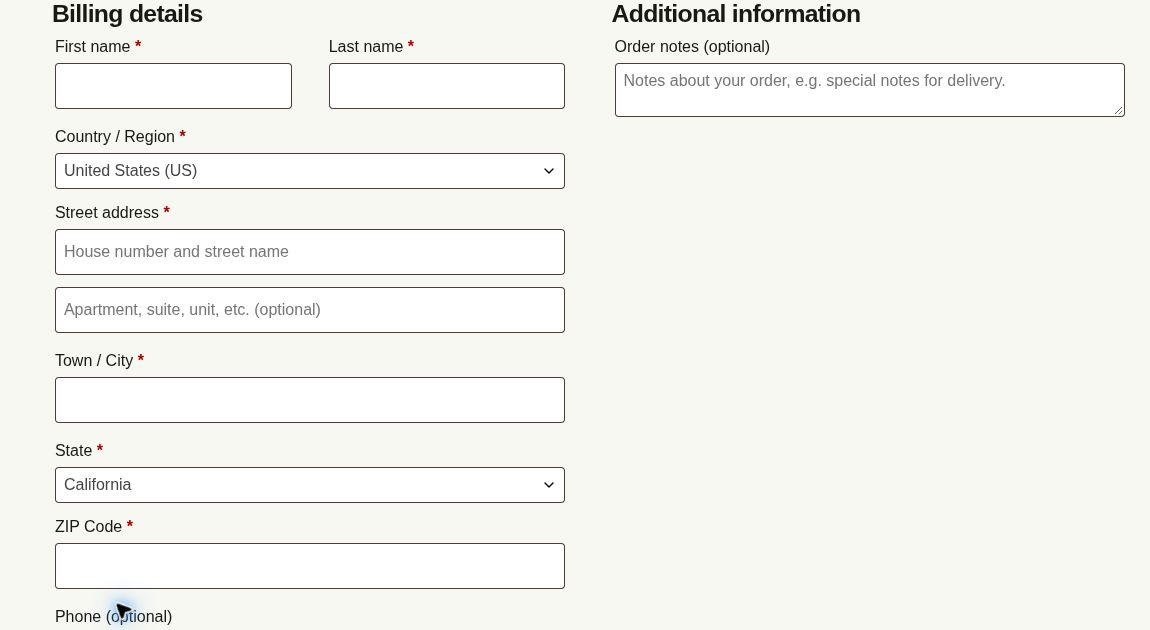
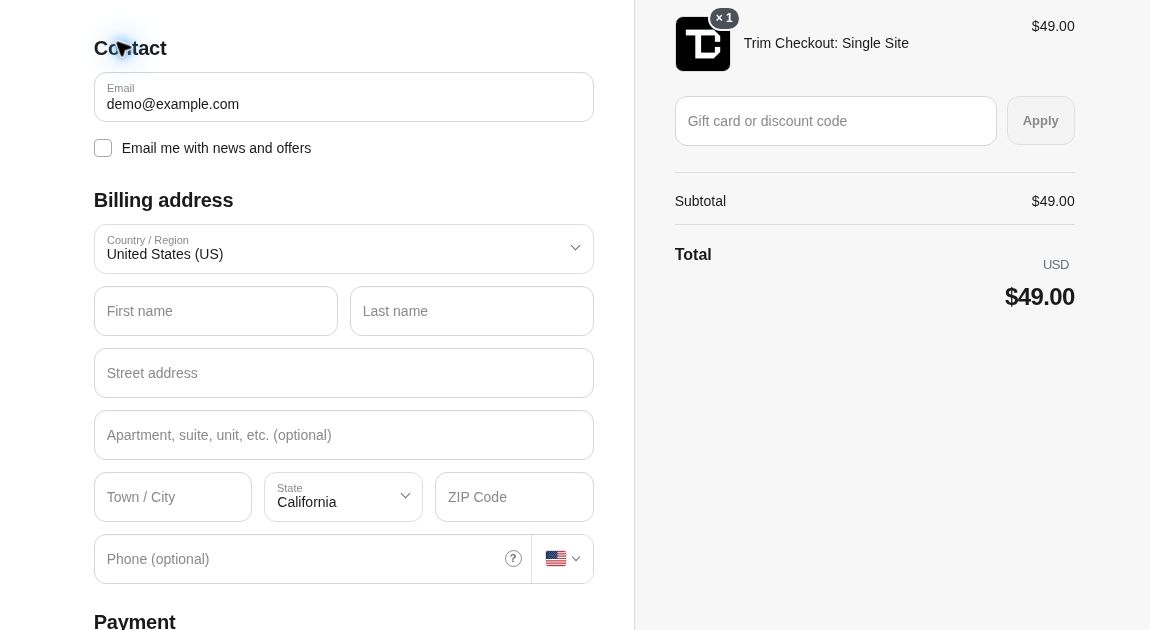
This shows presentation differences on one theme, not a measured conversion result or a claim about every WooCommerce checkout.